How To Make Your Santa Cam Photo Evidence Report
Creating your custom DIY Santa Cam photo evidence report takes less than 5 minutes.
- Instant Download
Download the PDF with your Canva template link immediately after purchase.
- Open the PDF
Open the PDF file on a computer or mobile device and click the Canva template link. You will be prompted to create a Canva account, but it’s FREE and easy to do.
- Add your own photo
Upload your own photo in Canva, then drag it over the photo frame until it sits inside. Double-click the photo (double-tap on a phone) to adjust or reposition it.
- Fill in the report
Edit the text: the child’s name, date, time, activity, camera location, status and notes. Pick the Nice List page, the Naughty List page, or the half-page sheet.
- Save and print
Download your finished report as a PDF or JPG, then print it at home or at a copy shop.
What's Included
The following templates are included in your Santa Cam photo evidence report:
- Nice List photo template: 8.5 x 11 inches (1 per page)
- Naughty List photo template: 8.5 x 11 inches (1 per page)
- Half Page photo templates: 8.5 × 5.5 inches (2 per page)
- Simple instructions for accessing and editing in Canva
Software Required: free Canva account
Ways to Use
Ideas for using your Santa Cam report
Use a photo to turn an everyday moment into a North Pole report. Choose the version that fits, add the details in Canva, and leave the finished page somewhere your child will find it.
- Catch a good deed:
Add a photo of your child sharing, helping with cleanup, or setting the table to the Nice List report. Leave it on the fridge or beside your child’s bed.
- Give a playful warning:
Use the naughty version for a messy room or cheeky moment. Keep the note light and give your child a clear way to start fresh.
- Photograph the scene, not your child:
Toys left on the floor, a made bed or a clean plate can tell the story. You don’t have to photograph your child.
- Let your elf deliver the report:
Place the finished page beside your elf for your child to discover in the morning.
- Build a December tracker:
Print the half-page sheet and add reports to the fridge or a bulletin board as the month goes on.
Try saying:
For the Nice List: “Santa Cam saw you share. The elves sent your report to Santa’s Workshop!”
For the Naughty List: “Santa Cam noticed the messy room. Tomorrow is a fresh start.”
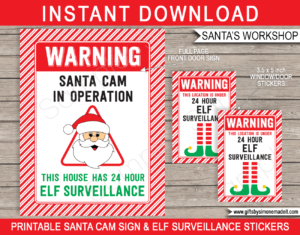
Finish the surprise with more Santa Cam & Elf Surveillance printables, or browse everything in Santa’s Workshop for Kids.
FAQs
Common questions about this Santa Cam photo evidence report template
What do I get with this Santa Cam Report?
You get one PDF with a link to the Canva template and editing instructions. The template includes a full-page Nice List report, a full-page Naughty List report, and a half-page sheet with one of each.
Is this a physical product?
No. This is a digital Canva template. Nothing will be shipped.
Do I need Canva Pro to use the template?
No. A free Canva account is enough. You can use Canva on a phone, tablet, or computer.
Can I edit it on my phone?
Yes. You can edit in Canva on your phone, tablet or computer.
What can I edit in Canva?
You can upload your own photos, edit the text, change fonts and colors, and reposition some design elements. The template’s size, layout, and orientation are fixed.
How do I add my photo?
Upload your photo in Canva, then drag it over the photo frame until it sits inside. On a phone, tap the photo frame and choose Replace. Double-click the photo (double-tap on a phone) to adjust or reposition it. The PDF has these steps too.
Do I have to use a photo of my child?
No. Any photo works. You could use a photo of the scene instead, such as toys on the floor or a neatly made bed.
Can I make more than one report?
Yes. Duplicate pages in Canva to make a new report.
Can I use it with my elf?
Yes. The report is written as a file from the North Pole’s Department of Elf Operations, so it fits an elf tradition. Leave it beside your elf for your child to find.
What size does it print, and can I use a copy shop?
It is made for US Letter paper (8.5 x 11 in). A full-page report prints one per sheet, and the half-page sheet prints two reports. Print at home or at a copy shop.
Is an A4 template included?
No. The supplied pages are US Letter size only. However they print out perfectly on A4 size paper if you print at “Fit to page” (not “Actual Size”).



Reviews
There are no reviews yet.